Clone from a hosting provider
After connecting a hosting provider, use Clone to browse the repositories available to you. Select a repository to clone it without copying its clone URL from the hosting provider.
SmartGit will display repositories on the hosting provider to which it has been granted access, including:
- User repositories
- Organization (org) repositories
Example
Example
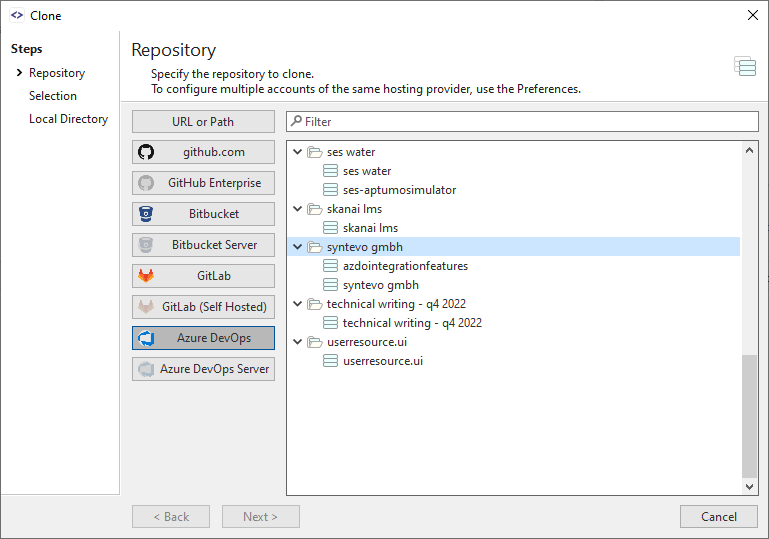
In the diagram below, the SmartGit user has configured integrations with multiple hosting providers and has selected the Azure DevOps icon. A list of repositories available to the user on Azure DevOps is displayed beneath each organizational folder: